
钉钉小程序入门3—钉钉扫码登录PC端网站
第一部分、准备材料🌲
公网环境
老版钉钉扫码中必须要配置一个域名才可以调试,新版支持IP配置调了。我是手机打开热点,电脑连接热点进行调试的,比老版要方便了不少。
查看本机IP地址方法:
如果使用的Windows,执行命令:ipconfig
如果使用的Mac,执行命令:
ifconfig en0
创建一个小程序(企业内应用即可)
这个小程序可以是H5微应用也可以是小程序,但需要是企业内应用。
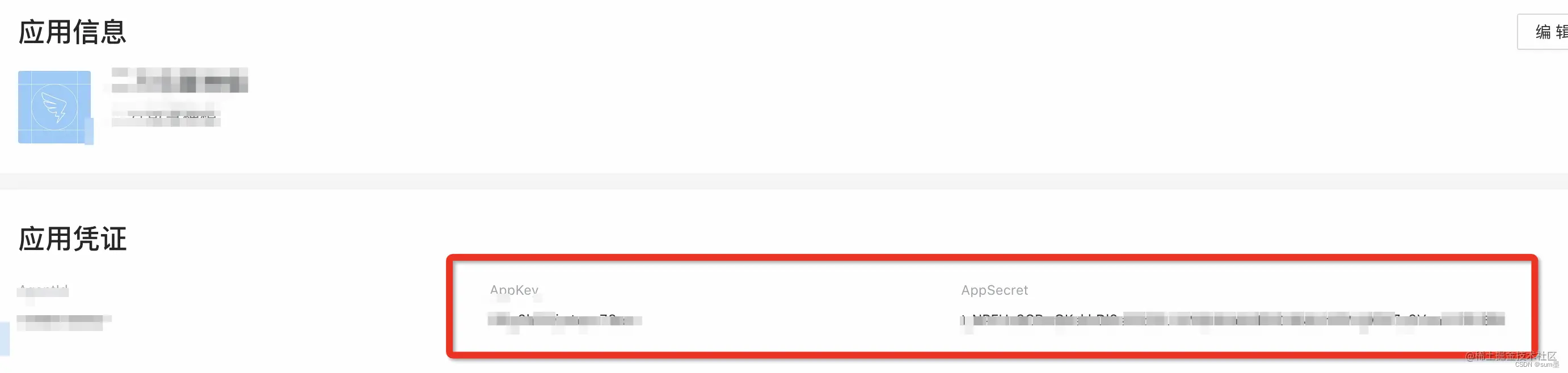
将创建后的小程序appKey和appSecret
搭建SpringBoot项目
目录结构如下:
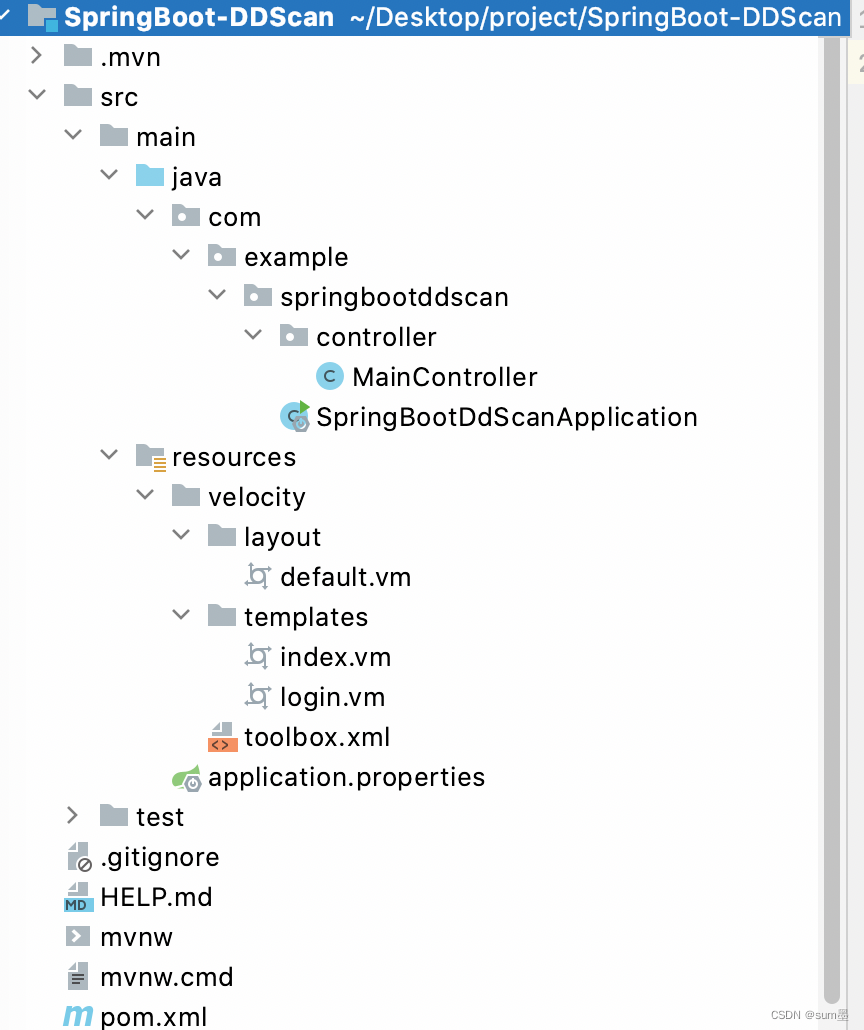
注意:resources中的目录结构和文件名一定要和我的一致,不能多不能少,否则会出现启动报错或者找不到文件的问题。
第二部分、环境配置⚙
SpringBoot项目pom.xml
这里我引入了VM模板用来放置扫码页与首页的html代码,引入DingTalk调用三方接口获取扫码用户的基本信息。
4.0.0 org.springframework.boot spring-boot-starter-parent 2.7.1 com.example SpringBoot-DDScan 0.0.1-SNAPSHOT SpringBoot-DDScan Demo project for Spring Boot 1.8 org.springframework.boot spring-boot-starter org.springframework.boot spring-boot-starter-web org.springframework.boot spring-boot-starter-test test com.aliyun alibaba-dingtalk-service-sdk 1.1.1 log4j log4j com.aliyun dingtalk 1.2.5 com.alibaba.boot velocity-spring-boot-starter 1.0.4.RELEASE org.springframework.boot spring-boot-maven-plugin SpringBoot项目application.properties
spring.application.name=dd-scan
server.port=8080## 小程序AppID和AppSecret(此处填入自己复制的)
qr.appId=xxxx
qr.appSerret=xxxx# Velocity\u914D\u7F6E\uFF0C\u8BE6\u89C1 http://gitlab.alibaba-inc.com/middleware-container/pandora-boot/wikis/spring-boot-velocity
spring.velocity.resource-loader-path=classpath:/velocity/templates
spring.velocity.toolbox-config-location=/velocity/toolbox.xml
spring.velocity.layout-url=/velocity/layout/default.vm
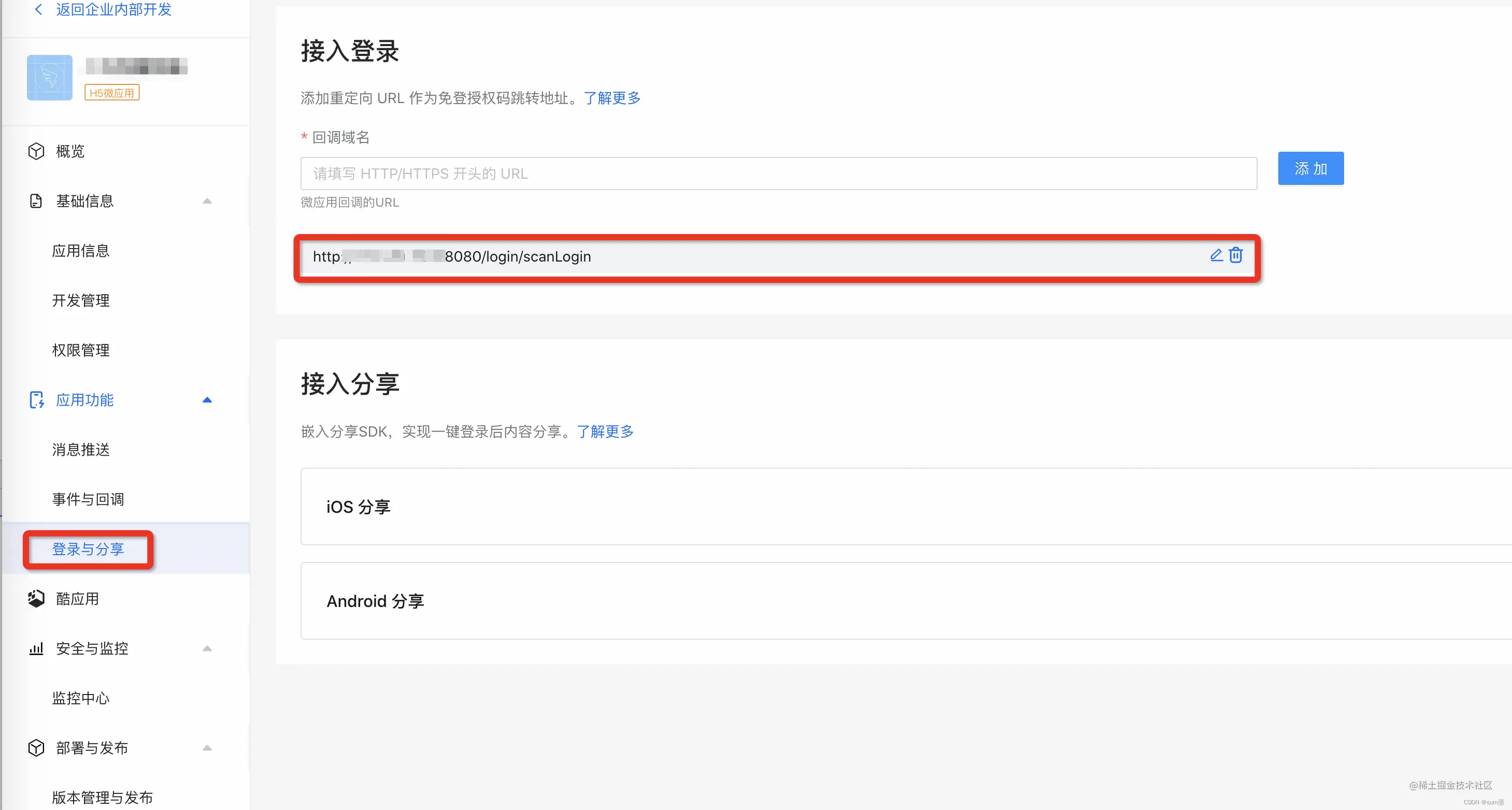
钉钉开放平台-登录与分享配置回调域名
这里的回调地址就是扫码后跳转的地址。这里的地址与下面login.vm中的window.url 一定要一模一样,否则会扫码会弹出”回调域名配置错误“的提示。
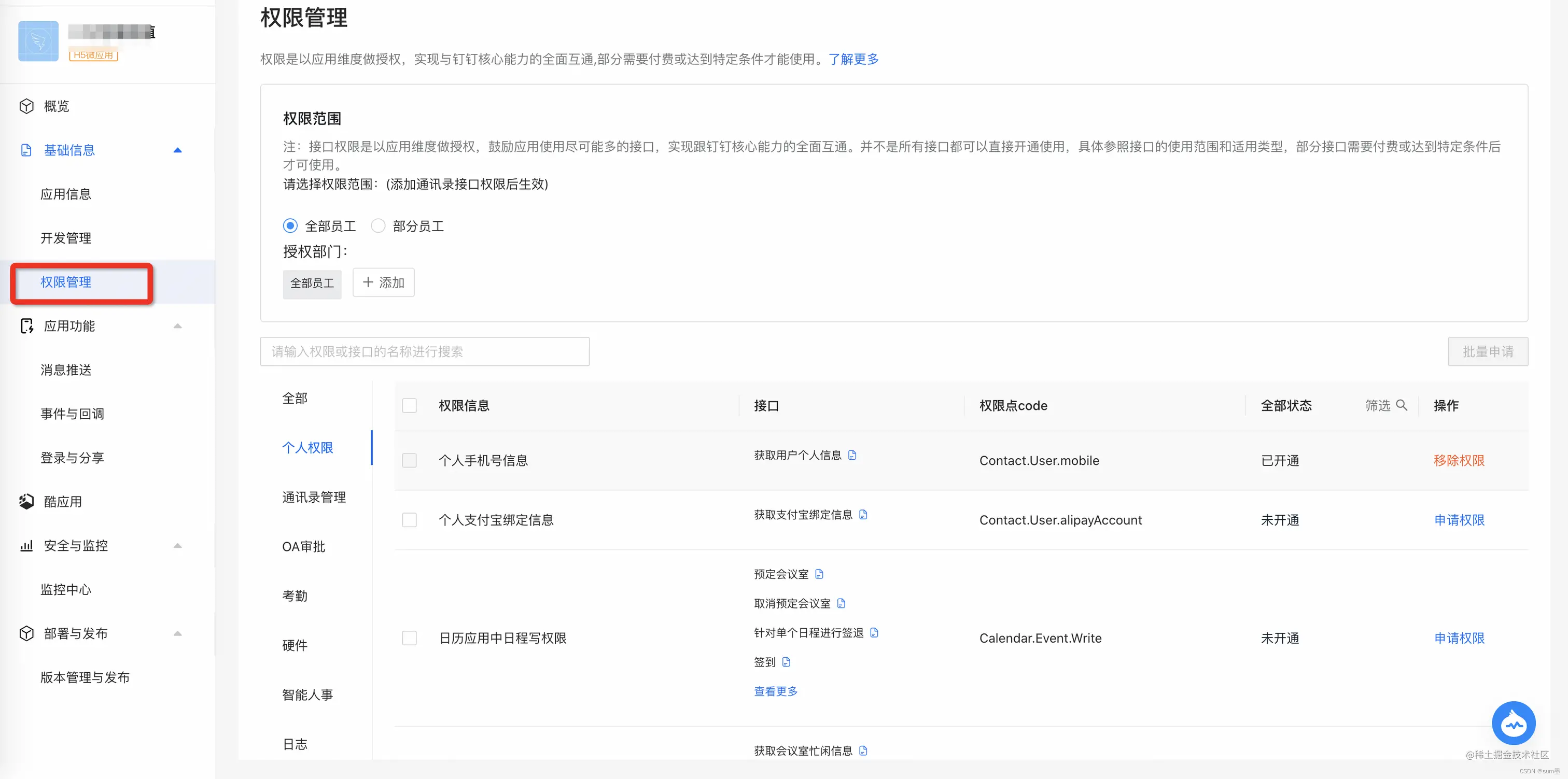
钉钉开放平台-权限管理授权
选择:个人手机号信息、成员信息读权限权限即可
第三部分、代码📚
后端代码
SpringBootDdScanApplication.java
package com.example.springbootddscan;import org.springframework.boot.SpringApplication;
import org.springframework.boot.autoconfigure.SpringBootApplication;@SpringBootApplication
public class SpringBootDdScanApplication {public static void main(String[] args) {SpringApplication.run(SpringBootDdScanApplication.class, args);}}
MainController.java
package com.example.springbootddscan.controller;import com.aliyun.dingtalkcontact_1_0.models.GetUserHeaders;
import com.aliyun.dingtalkcontact_1_0.models.GetUserResponse;
import com.aliyun.dingtalkoauth2_1_0.models.GetUserTokenRequest;
import com.aliyun.dingtalkoauth2_1_0.models.GetUserTokenResponse;
import com.aliyun.teaopenapi.models.Config;
import com.aliyun.teautil.models.RuntimeOptions;
import org.springframework.beans.factory.annotation.Value;
import org.springframework.stereotype.Controller;
import org.springframework.web.bind.annotation.GetMapping;
import org.springframework.web.bind.annotation.RequestMapping;
import org.springframework.web.bind.annotation.RequestParam;
import org.springframework.web.servlet.ModelAndView;@Controller
@RequestMapping("/login")
public class MainController {@Value("${qr.appId}")private String qrAppId;@Value("${qr.appSerret}")private String qrAppSecret;@GetMapping("/toLoginPage")public ModelAndView toLoginPage() {return new ModelAndView("login");}@GetMapping("/scanLogin")public ModelAndView scanLogin(@RequestParam String authCode) throws Exception {//获取当前小程序的accesstokenGetUserTokenResponse userTokenResponse = getUserAccessToken(qrAppId, qrAppSecret, authCode, "authorization_code");//查询当前用户信息GetUserResponse me = getUserWithOptions(userTokenResponse.getBody().getAccessToken(), "me");//获取首页模板ModelAndView modelAndView = new ModelAndView("index");modelAndView.addObject("userid",me.getBody().getOpenId());modelAndView.addObject("userName",me.getBody().getNick());modelAndView.addObject("userPhone",me.getBody().getMobile());return modelAndView;}public GetUserResponse getUserWithOptions(String accessToken, String unionId) throws Exception {// 准备请求配置参数Config config = new Config();// 设置请求协议config.protocol = "https";// 设置请求区域config.regionId = "central";// 初始化账号Clientcom.aliyun.dingtalkcontact_1_0.Client client = new com.aliyun.dingtalkcontact_1_0.Client(config);GetUserHeaders getUserHeaders = new GetUserHeaders();getUserHeaders.xAcsDingtalkAccessToken = accessToken;return client.getUserWithOptions(unionId, getUserHeaders, new RuntimeOptions());}public GetUserTokenResponse getUserAccessToken(String suiteKey, String suiteSecret, String authCode, String grantType) throws Exception {// 准备请求配置参数Config config = new Config();// 设置请求协议config.protocol = "https";// 设置请求区域config.regionId = "central";// 初始化账号Clientcom.aliyun.dingtalkoauth2_1_0.Client client = new com.aliyun.dingtalkoauth2_1_0.Client(config);GetUserTokenRequest getUserTokenRequest = new GetUserTokenRequest().setClientId(suiteKey).setClientSecret(suiteSecret).setCode(authCode).setGrantType(grantType);return client.getUserToken(getUserTokenRequest);}
}
前端代码
login.vm
钉钉扫码登录
index.vm
首页
userid: ${userid}
用户名: ${userName}
手机号码:${userPhone}
其他文件
toolbox.xml
default.vm
$!{screen_content}
第四部分、演示🍓
输入登录地址
http://xxx.xxx.xxx.xxx:8080/login/toLoginPage
这里记住一定要用IP,不能使用localhost或者127.0.0.1,否则即使二维码能出现,扫码完也不会有反应。
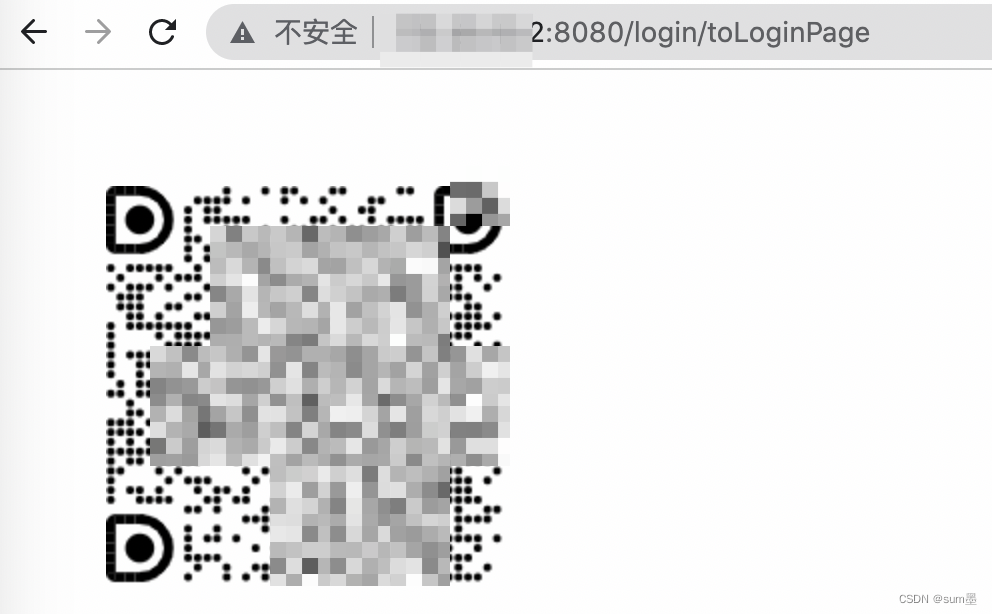
使用钉钉扫码
扫完码后钉钉会弹出一个授权页,点击同意即可。
[外链图片转存失败,源站可能有防盗链机制,建议将图片保存下来直接上传(img-RC5ajAZU-1670244714399)(https://p3-juejin.byteimg.com/tos-cn-i-k3u1fbpfcp/d636a914a6144afc965d47a2aa50b409~tplv-k3u1fbpfcp-watermark.image?)]
钉钉回调地址进入首页
![[外链图片转存失败,源站可能有防盗链机制,建议将图片保存下来直接上传(img-llcMLSRh-1670244714400)(https://p3-juejin.byteimg.com/tos-cn-i-k3u1fbpfcp/bbbfd463657841febc7bed7e481ce3b5~tplv-k3u1fbpfcp-watermark.image?)]](/webdata/wwwroot/pics.8red.cn/weishitang/202403/0cca371ffe71c.png)
第五部分、原理解释
钉钉文档链接:https://open.dingtalk.com/document/orgapp-server/tutorial-obtaining-user-personal-information